Apple Home (HomeKit)
Why Apple Home needs a home hub, which devices qualify, how HomeKit Secure Video works and what to check before buying Matter devices for an iPhone household.
As an Amazon Associate we earn from qualifying purchases. Product links on this page are affiliate links: buying through them costs you nothing extra and does not change what we recommend.

Apple TV 4K (4th generation)
Best for: Apple Home households that need automations and remote access.
- Stays plugged in and wired, which makes it a reliable home hub
- Streams too, so it is not a single-purpose box
- Apple Home only
- Check Apple’s home hub page for Thread support on your exact model
Name, photo and listed features checked on Amazon.com on November 14, 2026. We have not tested it; see how we choose.
Apple Home is built around privacy and local control, and it requires a home hub (an Apple TV or HomePod) for automations and remote access. With Matter support, many more devices now work with it, including Thread devices that use the hub as a border router.
HomeKit Secure Video analyzes camera footage on the home hub and stores it in iCloud; it depends on your iCloud plan, so check the storage limits before buying cameras.
Where to start with Apple Home
- Choose the home hub. A HomePod or Apple TV that stays in the home, powered all the time; an Apple TV on Ethernet is often the steadiest choice. See Apple Home hub requirements.
- Update everything. Bring the hub, iPhone and iPad to current software before adding accessories, and confirm the home uses Apple’s current Home architecture.
- Add accessories by code. Scan the Matter or HomeKit setup code with the iPhone camera, assign a room, and keep the code label.
- Invite people with their own Apple Account so each person can control the home and be used for arrival and departure automations.
The Apple Home starter kit lists a hub, plugs, bulbs and sensors with prices.
Compatibility checklist before you buy
- Look for the Matter logo or “Works with Apple Home” on the box; our smart plug for Apple Home guide shows what that means for plugs.
- Thread. Thread accessories need a home hub that is also a Thread border router; check Apple’s list, as not every Apple TV model has Thread. See Thread border routers.
- Cameras. For HomeKit Secure Video, the camera must support it and you need an iCloud+ plan; the number of cameras depends on the plan tier.
- Android in the household. There is no Apple Home app for Android; a Matter device can be shared with Google Home or Alexa for those members. Compare in Apple Home vs Google Home.
Automations that run on the home hub
Apple Home automations run on the home hub, which is why the hub is required. Starters include a time of day, sunrise or sunset, people arriving or leaving, an accessory changing state and a sensor detecting something. You can add conditions such as “only after sunset” or “only when nobody is home”. Because they run at home, automations that involve Matter, Thread or HomeKit accessories on your network typically keep working when the internet drops, while remote access stops. The Shortcuts app can add logic beyond what the Home app offers.
Kits 1
Guides 4
 GuideApple Home hub requirements: HomePod, Apple TV and ThreadA home hub is a HomePod or Apple TV that stays home. It is required for remote access, automations, sharing and Matter accessories. See what Apple…
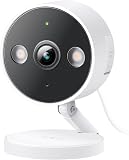 GuideHomeKit Secure Video: how it works, what it needs and its limitsHomeKit Secure Video stores camera clips in iCloud with end-to-end encryption after Apple devices at home analyze them. It needs a compatible camera…
 GuideWhich smart plug should you buy for Apple Home?Look for a Matter smart plug and check the hub and Thread requirements. Here is how to choose between Wi-Fi and Thread plugs, what energy monitoring…
 GuideWhich smart thermostat works with Alexa, Google Home and Apple Home?Check three things in this order: your HVAC wiring, whether the thermostat speaks Matter or supports your ecosystem, and which features need an…
Comparisons 1
Frequently asked questions
Can I use Apple Home without an Apple TV or HomePod?
Partly. On the home network, an iPhone can control many accessories directly. Without a home hub, you lose remote access, automations, sharing with other people and support for Matter accessories.
Does HomeKit Secure Video use up my iCloud storage?
Apple says HomeKit Secure Video recordings do not count against your iCloud storage, but the number of cameras you can record depends on your iCloud+ plan. Check Apple’s current plan details before adding cameras.
Sources
- Amazon.com listing: Apple TV 4K (4th generation) (ASIN B0HMX69N2K), checked November 14, 2026
Product names, photos and listed features were checked on the Amazon.com product pages on November 14, 2026. Prices and availability change; the retailer page is always the reference.