Smart home office
Lighting for video calls, standby power you can cut automatically, a Wi-Fi signal that holds and a router that survives short outages.
As an Amazon Associate we earn from qualifying purchases. Product links on this page are affiliate links: buying through them costs you nothing extra and does not change what we recommend.

APC Back-UPS BE600M1
Best for: Keeping Wi-Fi, cameras and hubs online during brief outages.
- Keeps router, modem and hub online through short outages
- Surge protection included
- Short runtime at higher loads
- Battery wears out after a few years
Name, photo and listed features checked on Amazon.com on November 14, 2026. We have not tested it; see how we choose.
A home office needs reliable connectivity before it needs gadgets. Start with Wi-Fi coverage and a small battery backup for the modem and router; then add lighting that flatters you on camera and a power strip or smart plug that cuts standby draw when the workday ends.
Our calculators help you size a mesh system and estimate how long a UPS keeps you online, and our guides explain how to keep work devices separate from the rest of your smart home.
Where to start: the order that keeps you online
- Measure at the desk. Run a speed test at your chair and another next to the router at the same hour. A large gap points to coverage, not to your internet plan.
- Prefer a cable if you can. A run of Ethernet, or MoCA over existing coax, beats any wireless fix for video calls; see Ethernet or Wi-Fi for working from home.
- Otherwise add a mesh node. Use the mesh nodes calculator to size it to your floors and walls.
- Put the modem and router on a UPS. Short power blips reboot them and drop calls even when your laptop runs on battery.
- Then lighting and plugs. A soft front light for calls and an energy-monitoring plug to cut the evening standby of monitors and speakers.
Keep work devices and smart devices apart
A work laptop and a cheap smart plug do not belong on the same network segment. Most routers can create a guest or IoT network: put plugs, bulbs, cameras and speakers there, and keep the work computer and your personal devices on the main network. Our guide to putting smart devices on a separate network covers guest networks and VLANs.
Check your employer’s remote work policy too. Some ask you to keep voice assistants out of earshot of confidential calls, or forbid cameras that face the screen. Muting a speaker’s microphone or closing a camera shutter during meetings is a simple, visible habit.
Typical home office budget ranges
| Item | Solves |
|---|---|
| Ethernet cable and small switch | Dropped calls near the router |
| Mesh system or wired access point | Weak signal in the office |
| UPS for modem and router | Short outages and reboots |
| Light for video calls | Dark or backlit face on camera |
| CO2 monitor with NDIR sensor | Stuffy closed room |
Prices are indicative. The home office kit lists the same items with what to check on each.
Calculators 1
Kits 1
Guides 2
 GuideLighting for video calls at homePut a soft light in front of your face, not behind it. Here is how to place it, choose a color temperature, avoid glare and save a scene that turns…
 GuideUPS or surge protector: which one your home office needsA surge protector limits voltage spikes. A UPS also keeps devices running for a few minutes when the power drops. Which one you need depends on what…
Comparisons 3
 ComparisonMesh Wi-Fi vs range extender for dead zonesA range extender patches one weak spot cheaply; a mesh system replaces the router with several linked units. Here is how speed, roaming and price…
 ComparisonMoCA vs powerline adapters: choosing a wired backhaul for your Wi-FiNo Ethernet in the walls? MoCA runs over your coax cable and powerline over your electrical wiring. See which one suits your house, your outlets and…
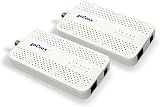 ComparisonEthernet or Wi-Fi for a home office: which connection to useA cable to your desk is steadier for video calls and large uploads; Wi-Fi is simpler. See when each is the right choice, what cable you need, and…
Frequently asked questions
How much battery do I need to keep my modem and router online?
Add up the watts of the modem, router and any hub, multiply by the hours you want, then allow for losses. For example, 20 W for two hours is 40 Wh, so plan on about 50 Wh of usable battery. The UPS runtime calculator does this for you.
Sources
- Amazon.com listing: APC UPS Battery Backup & Surge Protector BE600M1 for Computer, Router, NAS (ASIN B01FWAZEIU), checked November 14, 2026
Product names, photos and listed features were checked on the Amazon.com product pages on November 14, 2026. Prices and availability change; the retailer page is always the reference.
 APC Back-UPS BE600M1