Why smart bulbs turn on after a power outage
Smart bulbs often come back on, or reset, when power returns. Learn why it happens, where to find the power-on setting, and how to avoid a bright light at 3 a.m. after a brownout.
As an Amazon Associate we earn from qualifying purchases. Product links on this page are affiliate links: buying through them costs you nothing extra and does not change what we recommend.

WiZ tunable white A19 bulbs (6-pack)
Best for: Bedrooms and living rooms where you want warm light at night and cooler light in the morning.
- Low cost per bulb for warm-to-cool white
- No bridge to buy
- Each bulb is a Wi-Fi device on your network
- White only, no color
Name, photo and listed features checked on Amazon.com on November 14, 2026. We have not tested it; see how we choose.
What actually happens when power returns
A smart bulb is an LED with a radio and a small computer. When the circuit loses power, the bulb switches off completely. When power comes back, the bulb boots and has to decide what to do. The factory default on many bulbs is to turn on, because that is what a normal bulb does when its switch is on. Some bulbs remember their last state and return to it, and some offer a choice.
That is why a house with a dozen smart bulbs can light up at 3 a.m. after a short outage. Your phone, router and hub may take several minutes to restart, so the bulbs come on before any automation or schedule can tell them otherwise.
Where to find the power-on setting
The name varies by maker: power-on behavior, after power loss, restore state, default state or startup state. Look in the bulb’s settings in its own app, or in the device page of your ecosystem or hub. Typical choices are on, off and last state.
- Bedrooms and hallways: choose off, so a brownout does not turn on lights during the night.
- Outdoor and entry lights: on can be useful, since a power loss often means darkness outside.
- Lamps used at night: consider a low-brightness warm default if the bulb supports it.
With Matter and Thread, local control continues in the home as long as the controller and border router are running, and the options exposed to you depend on the bulb and the app. Matter is designed around local connectivity, which helps lights respond after power returns even if the internet is out. If a setting is not offered in your ecosystem app, check the maker’s app; some features remain there.
Bulbs that reset or unpair during outages
Several smart bulbs use quick on-off cycles to reset or re-pair them, for example “switch on and off five times” in the instructions. A brownout or flickering outage can act like those cycles, so the bulb loses its pairing or returns to a default color. If bulbs show up as unavailable after storms, try this:
- Wait ten minutes for the router, hub and border router to finish restarting.
- Check that the bulb is powered, and that the wall switch is on.
- If it does not reappear, power cycle that bulb once, then wait.
- Re-add it only if it stays missing, and rename it to match the old name so automations keep working.
Updates can change defaults, and security guidance from the FTC is to keep device software updated; check the release notes after an update to see whether the power-on setting changed.
Better options than relying on the bulb
| Approach | How it helps | Limit |
|---|---|---|
| Set “off” in the bulb’s power-on setting | Bulb stays dark after outages | Not every bulb offers it |
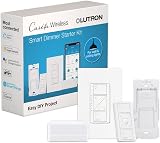
| Smart switch with a default-state setting | The switch, not the bulb, decides state; use regular bulbs | Needs wiring; see how to install a smart light switch |
| Wall-switch guard or cover | Keeps the switch on so bulbs stay powered | Does not change power-on behavior |
| UPS for the router and hub | Network stays up through short outages | Does not power the bulbs; see UPS runtime for router and modem |
| Local automation at power-up | A hub rule can turn selected lights off a few minutes after restart | Bulbs may flash on briefly first |
Safety and energy notes
If you travel, a bulb that returns to “on” after an outage will burn until you return. The Department of Energy gives LEDs a long life and low energy use, but unneeded lighting still costs money, and ENERGY STAR estimates a certified bulb saves about $55 over its lifetime, so avoid wasting that. Set outdoor lights to a timer or sunset automation and turn off the rest.
For emergency lighting, do not rely on smart bulbs. When the power is out, they are out too. Keep flashlights or battery lanterns in a known place.
A quick checklist for outage-proof lighting
- Open each bulb’s app and set the power-on state.
- Choose “off” for bedrooms and hallways.
- Leave wall switches on, or cover them.
- Give the router and hub a UPS if outages are common.
- Keep non-electric lights for emergencies.
New to smart lighting? See how to choose smart bulbs.
Products that match each need
Bulbs with a power-on setting
What to look for: bulbs that list “power-on behavior” or “restore state” in the app, off or last-state options, Matter or Zigbee support

Switch decides the default state
What to look for: smart switch with a configurable default after power loss, neutral wire, LED-rated load

Keep the network running through short outages
What to look for: compact UPS rated for 12 V or 5 V devices or a standard UPS, enough runtime for your router and hub

Frequently asked questions
Why did my smart bulbs turn on during the night?
The power flickered or went out, and the bulbs came back in their default state, which is often on. Set the power-on option in the bulb’s app to off or last state.
Can I stop smart bulbs from turning on after a power outage?
Often yes, through a power-on or restore setting in the app. If the bulb does not offer it, use a smart switch or a hub automation, or a smart plug for lamp bulbs that are plugged in.
Why do my bulbs show offline after an outage?
Your router, hub or border router may take several minutes to restart. Wait ten minutes, then check the bulb is powered. If it is still missing, power cycle it once before re-pairing.
Do smart bulbs work during a power outage?
No. They need mains power. Matter and Zigbee do not change that. Use battery lights for emergency lighting.
Sources
- Connectivity Standards Alliance — Matter
- Thread Group — What is Thread
- Federal Trade Commission — Securing your internet-connected devices at home
- ENERGY STAR — Light bulbs
- U.S. Department of Energy, Energy Saver — LED lighting
- Amazon.com listing: WiZ 60W A19 Tunable White LED Smart Bulb - Pack of 6 - E26 - Connects to Your Existing Wi- (ASIN B0B3347SYV), checked November 14, 2026
- Amazon.com listing: Kasa Smart Light Switch, Single Pole, Need Neutral Wire, HS200 (ASIN B01EZV35QU), checked November 14, 2026
- Amazon.com listing: APC UPS Battery Backup & Surge Protector BE600M1 for Computer, Router, NAS (ASIN B01FWAZEIU), checked November 14, 2026
Product names, photos and listed features were checked on the Amazon.com product pages on November 14, 2026. Prices and availability change; the retailer page is always the reference.
Related pages
 GuideHow to choose smart bulbsBase size, lumens, color temperature, Wi-Fi, Zigbee or Thread: the short checklist that decides which smart bulb works in your lamp, your fixture and…
 GuideHow to install a smart light switch safelyA smart switch swap takes about 30 minutes when the box is simple. Follow the shutoff, test and labeling steps below, and know the signs that mean…ComparisonSmart bulbs vs smart switches: cost, wiring and useSmart bulbs are plug-and-play and give color; smart switches keep the wall switch working and control any bulb. See the cost per room, wiring needs,…
 ComparisonMatter vs Zigbee: what changes for your smart homeMatter promises devices that work with every ecosystem; Zigbee is proven, cheap and battery-friendly. Here is what each really means for…CalculatorLED bulb savings calculatorCompare old incandescent bulbs with LED or smart LED bulbs: enter how many, the watts, hours per day and your rate to see the dollars saved per year,…GuideSmart switch without a neutral wireNo neutral wire in your switch box? Learn how to spot one, which switches work without it, what flicker to expect with LEDs and when smart bulbs or…