Wi-Fi and networking
Mesh or extender, how many devices a router handles, 2.4 GHz pairing problems, outdoor coverage, separate networks and battery backup.
As an Amazon Associate we earn from qualifying purchases. Product links on this page are affiliate links: buying through them costs you nothing extra and does not change what we recommend.

Amazon eero 6 mesh Wi-Fi (3-pack)
Best for: Homes where smart devices keep going offline in far rooms.
- Simple app setup
- Mesh removes dead zones that cause smart devices to drop
- Not the fastest for gigabit-plus plans
- Some features need an eero subscription
Name, photo and listed features checked on Amazon.com on November 14, 2026. We have not tested it; see how we choose.
Most “smart home problems” are Wi-Fi problems: devices that drop offline, refuse to pair or lag. Coverage, the 2.4 GHz band, router settings and the number of connected devices all play a role.
Our calculators estimate how many mesh nodes your home needs and how long a UPS keeps the internet up during an outage.
Calculators 2
 CalculatorUPS runtime calculator: how long will it run your router?Add up the watts of your modem, router and hub, enter your battery size, and see how long a UPS or power station keeps you online. Switch to sizing…
 CalculatorHow many mesh Wi-Fi nodes do you need?Enter square footage, floors, wall materials and where your modem sits to get a realistic range of mesh nodes, a placement tip and a budget, not a…
Kits 2
KitPower outage backup kit: keep your smart home and Wi-Fi goingSix essentials to keep Wi-Fi, lighting, phone charging and alerts working when the power fails, plus options for a longer outage. Prices, sizing…KitSmart home network upgrade kit: a Wi-Fi setup that keeps devices onlineA router with the right features, a second node on a wired link, a small UPS and a few cables: the shopping list for a home network that stops…Guides 8
GuideSmart devices keep going offline: how to fix itWhen smart devices keep dropping off Wi-Fi, the cause is usually signal, an IP address change, a router setting or a battery. Diagnose by pattern and…GuideHow many smart devices can your Wi-Fi router handle?A home router can hand out about 253 addresses, but a consumer model runs comfortably with far fewer busy devices. Here are the real limits, the… GuideExtending Wi-Fi to the garage, yard or a detached buildingFive ways to bring Wi-Fi to a garage, shed or backyard, from a mesh node to a buried Ethernet cable, with the distance limits, safety rules and costs…
 GuideSmart plug or device won’t connect to Wi-Fi: fixes that workMost setup failures come from one of seven causes: the wrong band, a WPA3-only network, a phone on another network, a long or odd password, client…
 GuidePutting smart devices on a separate networkA guest or IoT network keeps cheap cameras, TVs and gadgets away from your computers, but it can break local control. Here is when to split, how, and…
 GuideZigbee and Wi-Fi interference: how to choose channelsZigbee and Wi-Fi share the 2.4 GHz band. Fix dropouts by fixing your Wi-Fi to channel 1, 6 or 11, running Zigbee on 15, 20 or 25, and moving the USB…GuideWhich router should you buy for a smart home: the features that matterSmart plugs, sensors and cameras put different demands on a router than laptops do. Here are the features to check, what to skip, and which setup…
 GuideWhat size portable power station do you need for a router, fridge and smart home?Size a power station in watt-hours, not by the box. Add up what you run, multiply by hours, then allow for losses. Examples for a router, a…
Comparisons 5
 ComparisonPoE vs Wi-Fi security camerasPoE cameras get power and video over one Ethernet cable; Wi-Fi cameras need only a power source. Compare reliability, cabling, recorder, cost and…ComparisonMesh Wi-Fi vs range extender for dead zonesA range extender patches one weak spot cheaply; a mesh system replaces the router with several linked units. Here is how speed, roaming and price…ComparisonWi-Fi 6 vs Wi-Fi 7 router for a smart homeWi-Fi 7 adds 6 GHz channels, wider 320 MHz channels and multi-link operation, but most smart plugs and sensors only use 2.4 GHz. Here is when the…
 ComparisonMoCA vs powerline adapters: choosing a wired backhaul for your Wi-FiNo Ethernet in the walls? MoCA runs over your coax cable and powerline over your electrical wiring. See which one suits your house, your outlets and…
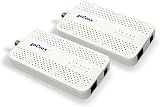 ComparisonEthernet or Wi-Fi for a home office: which connection to useA cable to your desk is steadier for video calls and large uploads; Wi-Fi is simpler. See when each is the right choice, what cable you need, and…
Sources
- Amazon.com listing: Amazon eero 6 mesh wifi system - Supports speeds up to 900 mbps, Coverage up to 4,500 sq. (ASIN B0FZCJ85L3), checked November 14, 2026
Product names, photos and listed features were checked on the Amazon.com product pages on November 14, 2026. Prices and availability change; the retailer page is always the reference.